SetLink — Live Audience Interaction & Transaction Tool
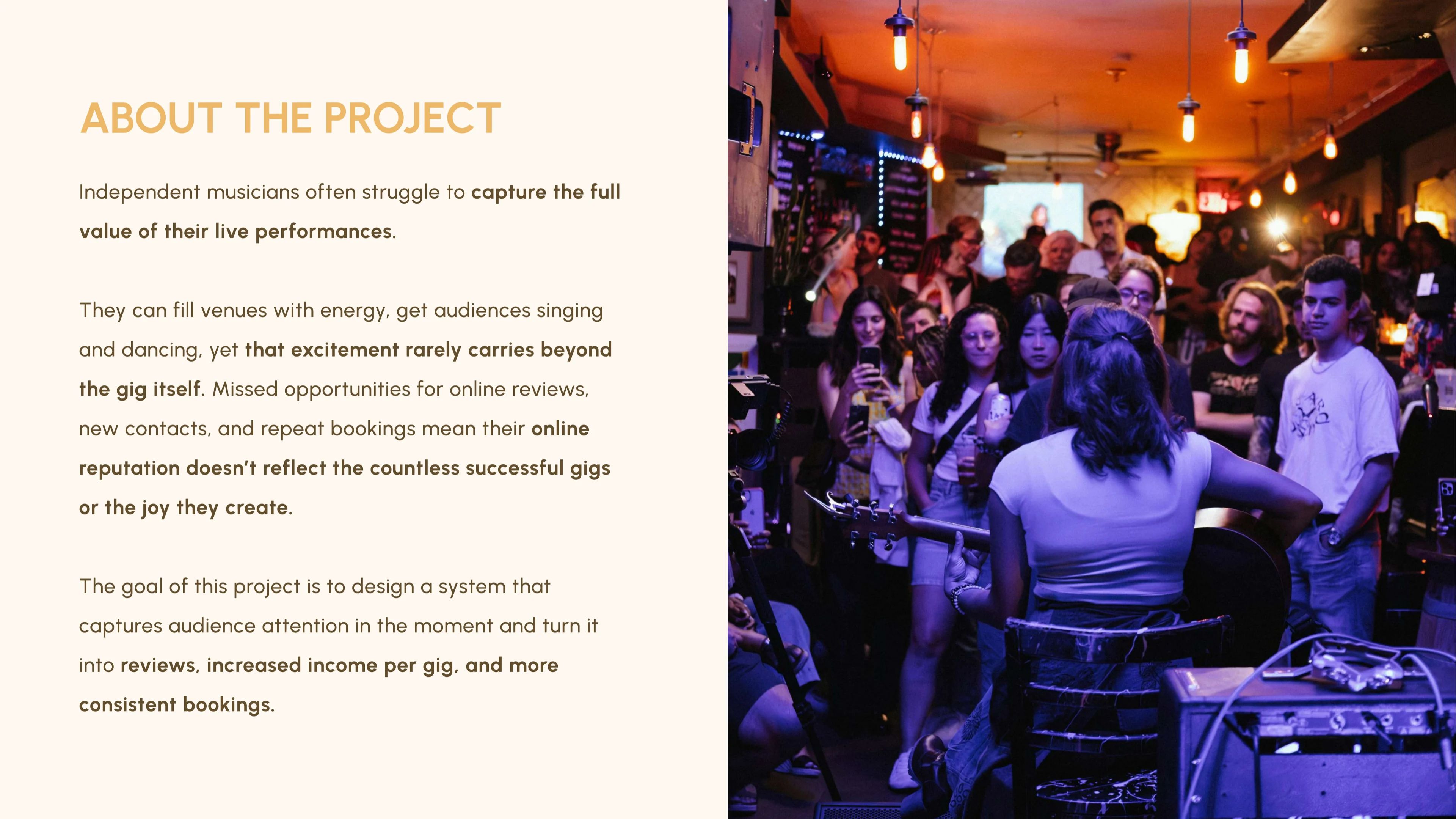
Setlink grew out of a decade of performing live across Ireland, the UK and the Netherlands. In bars, hotels, pubs and private events, musicians do more than play songs. They shape the atmosphere, draw people in and help turn an ordinary night into something memorable.
But the connection created in the room often disappears when the performance ends. Someone may love the show without learning the musician's name or knowing where to find them again. While performing, the musician cannot stop to make those connections—and once the set is over, the moment quickly passes.
These missed moments add up. Without a simple way to stay connected, musicians struggle to turn a good performance into a loyal following: people who return to see them, bring others and help fill venues. This makes it harder to secure repeat bookings and build a sustainable career. For venues, it means the energy created on the night is less likely to bring people back.
Setlink helps musicians carry the moment beyond the performance without taking their attention away from the room. Rather than asking people to follow them on social media or scan a QR code simply to leave a tip, they can invite them to request a song. The exchange begins with an offer: the chance to shape the set and hear a song they love. While the musician keeps playing, Setlink guides the interaction forward. The listener can make a request, support the performer and stay connected after the show.
Supporting this experience is a digital songbook musicians can carry anywhere. They can use it to build and refine their repertoire, plan sets and prepare for performances, then share the same library with the audience during a show. It gives listeners a clear view of what the musician can play and makes requesting a song simple.
Musicians leave with more than applause: they begin building a following they can bring from one venue to the next. Audiences enjoy a more personal and memorable night, while venues create the kind of atmosphere that encourages people to stay longer and return.
Setlink also has a straightforward business model. The platform retains 10% of each tip, so it earns only when a musician earns. Its success rests on something I have witnessed throughout my years of performing: musicians create moments people genuinely value, and audiences are willing to show their appreciation when given the opportunity to do so.
My role: founder and sole developer, leading Setlink from initial concept through to implementation.
Contribution: led an end-to-end design thinking process across research, design, prototyping and development, using Claude Code to build and iterate the product.
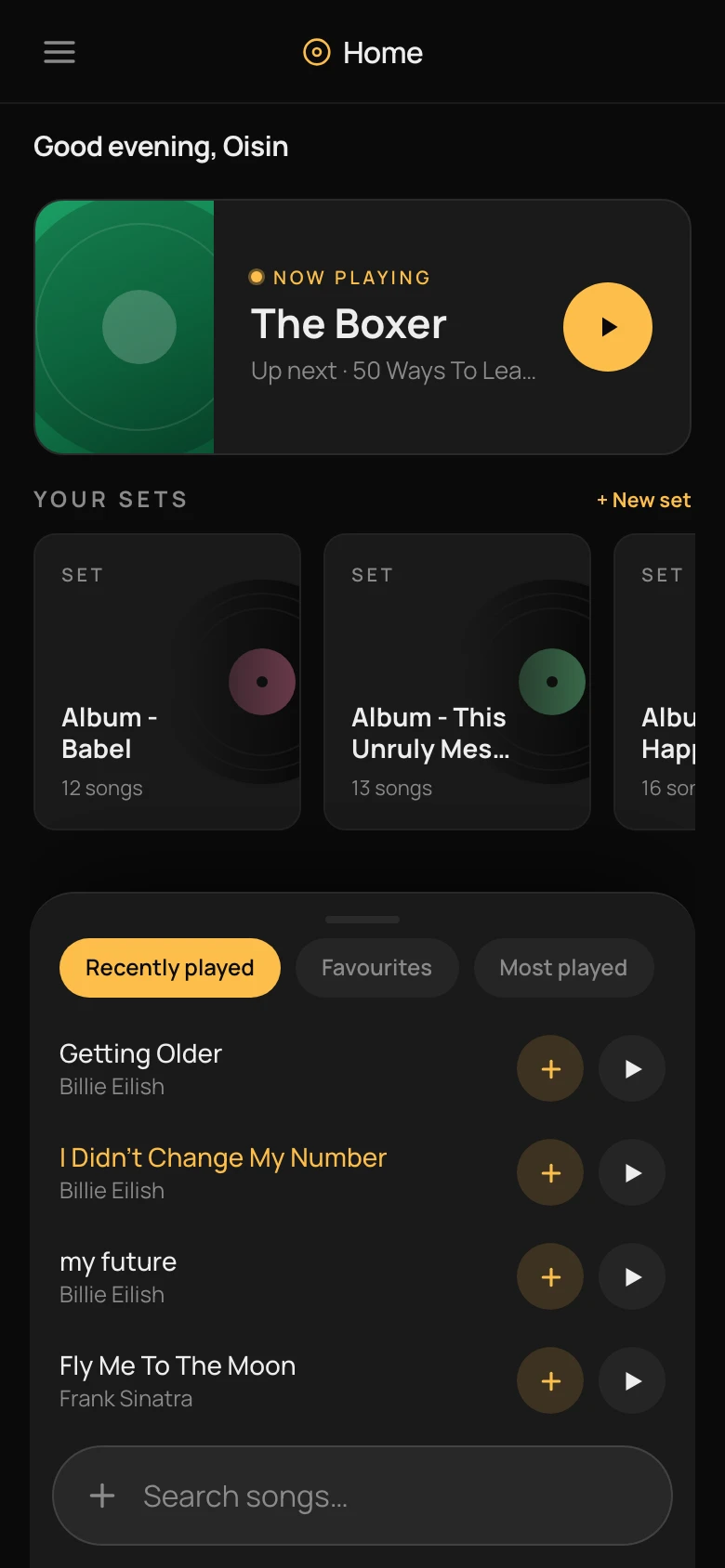
Home
The launchpad. A resumable Now Playing card at the top, sets in a horizontal rail underneath, and a chip-filtered song list — Recently played, Favourites, Most played — sitting one thumb from the top.
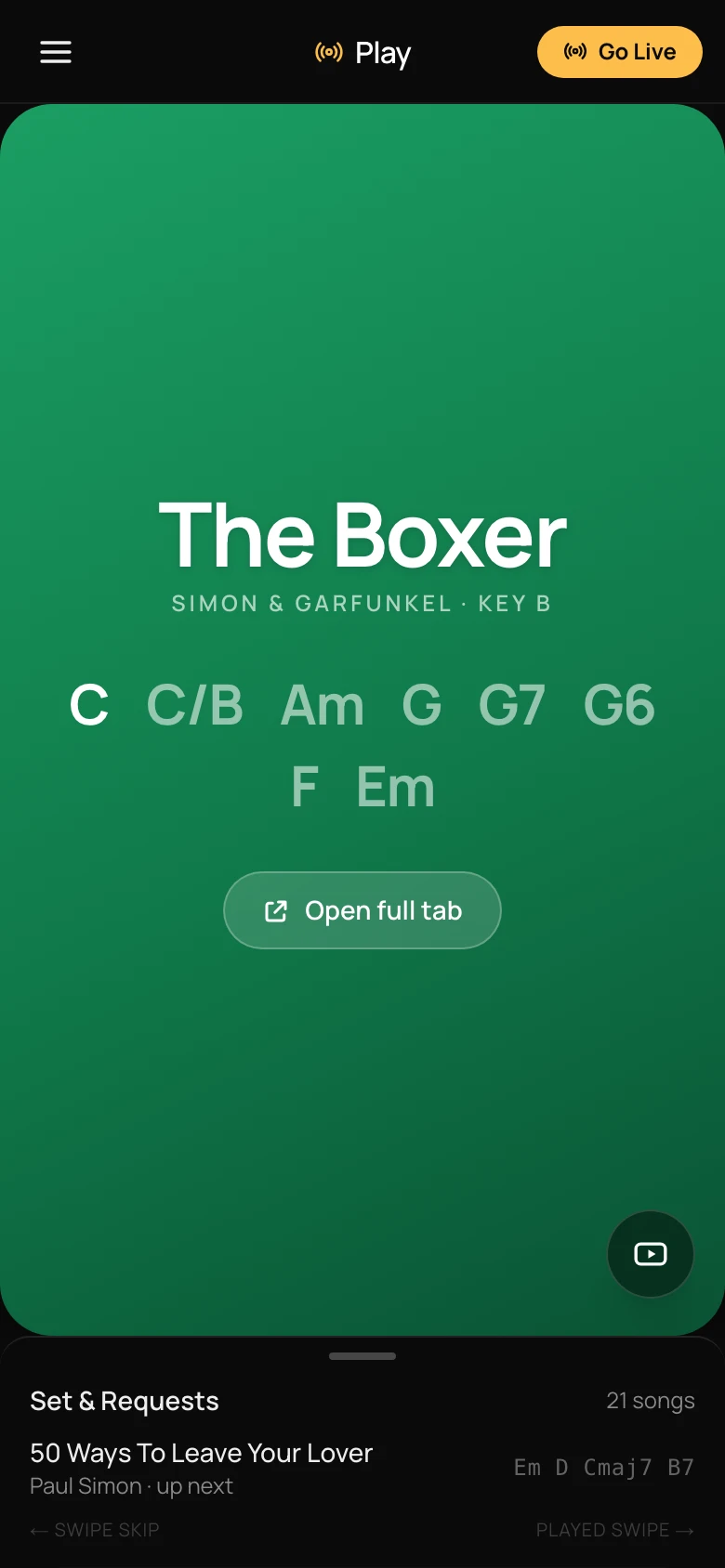
Play mode
The live view a musician runs on stage. Current song owns the screen, chords big, key stated up front. The queue swipes up when it's needed and stays out of the way when it isn't.
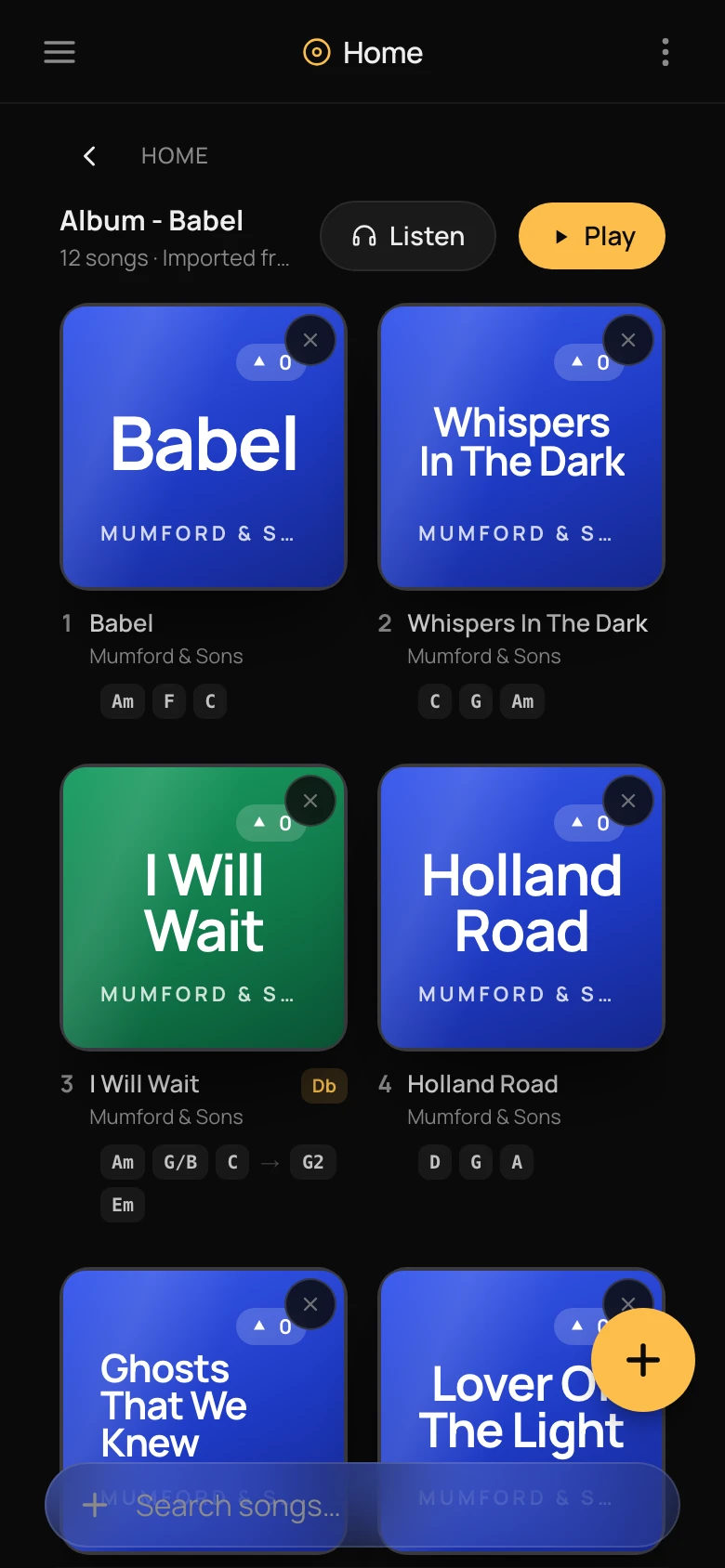
A set
Each set has its own cover art, mood colour, and chord shapes stamped under every song. The colour carries all the way into the playing-now state, so the set a room belongs to is never ambiguous.
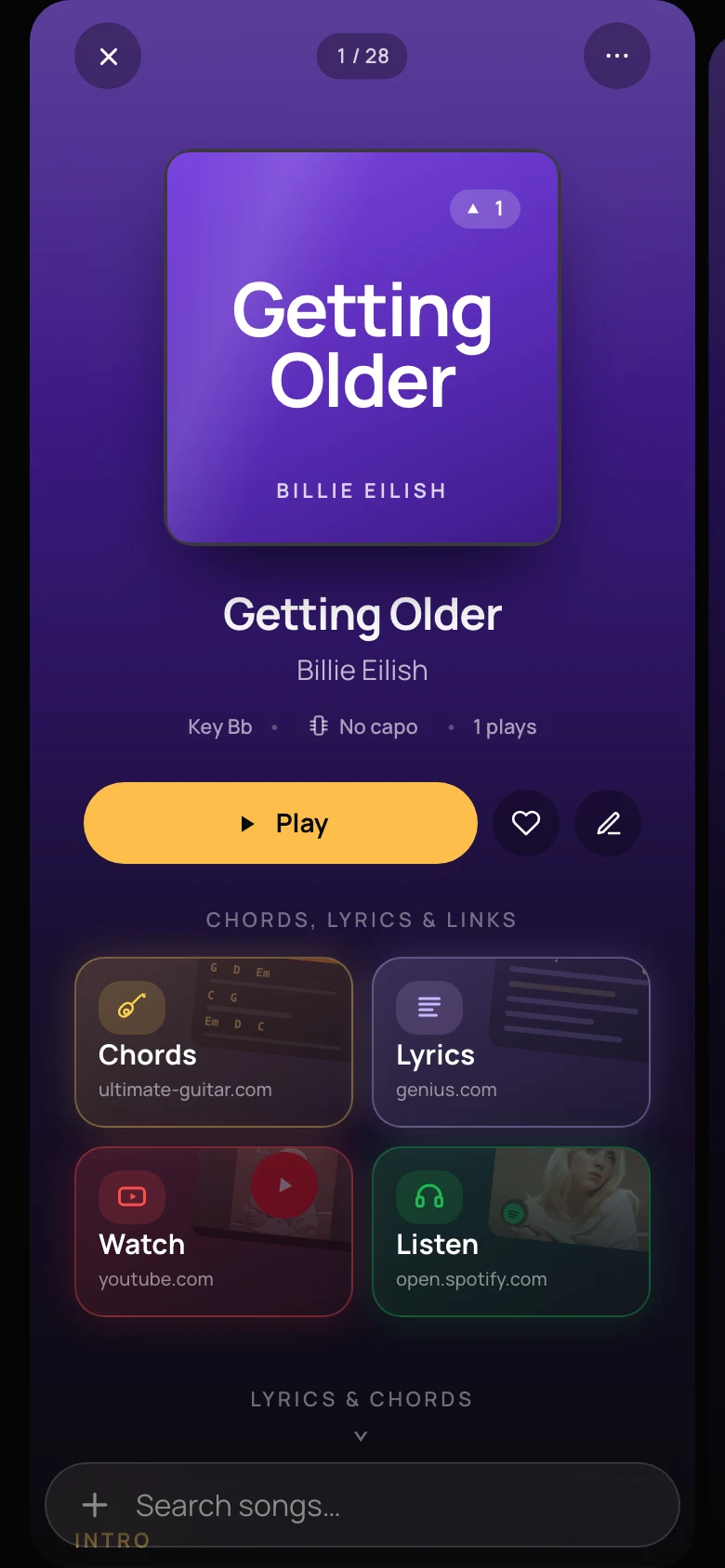
Song detail
A song is a hub. Chord chart, lyrics, a video reference and a listen link — the four things a working musician wants when a song is called and they last played it three months ago.
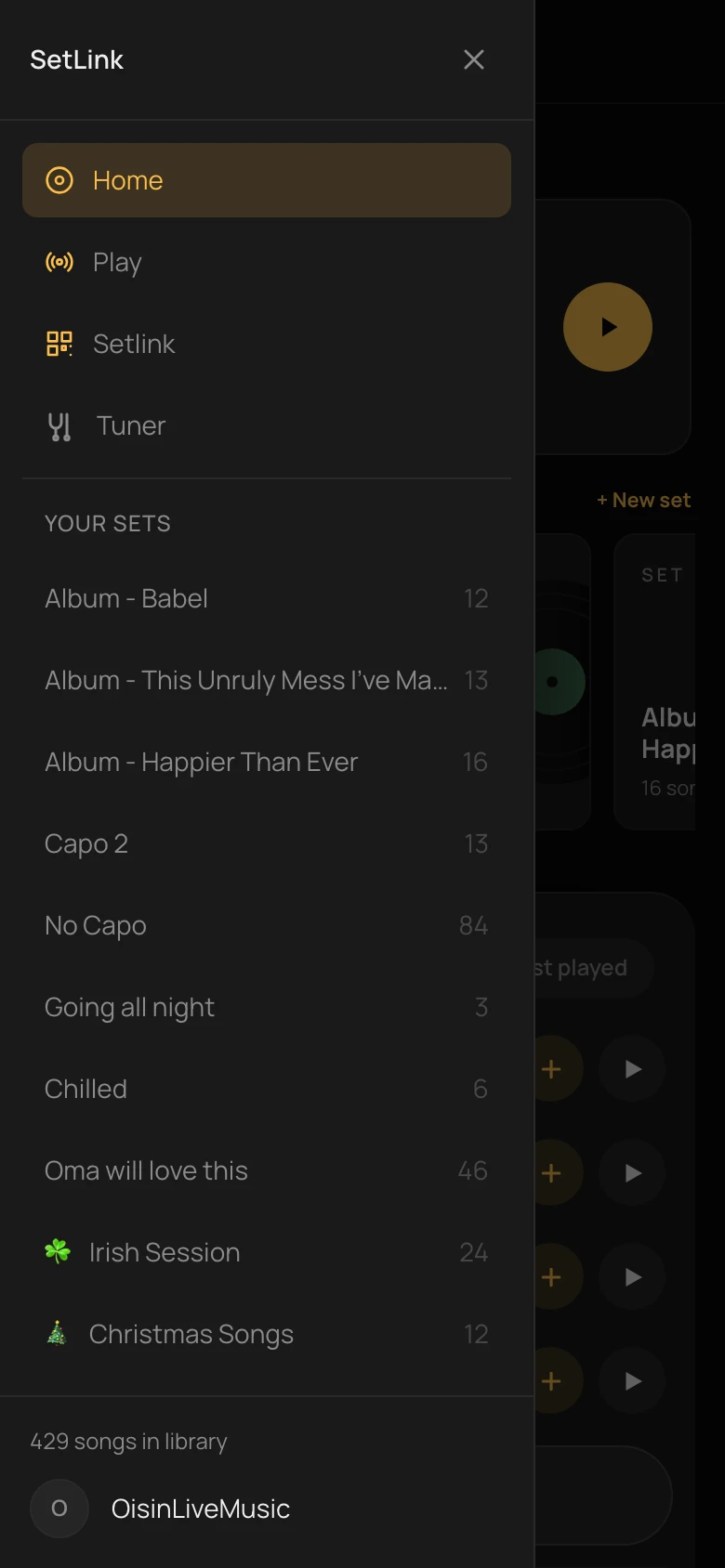
Menu drawer
One place for every set, favourite, and utility. The drawer sorts by recency so the set from last night's gig is at the top of the list on the way to tonight's.
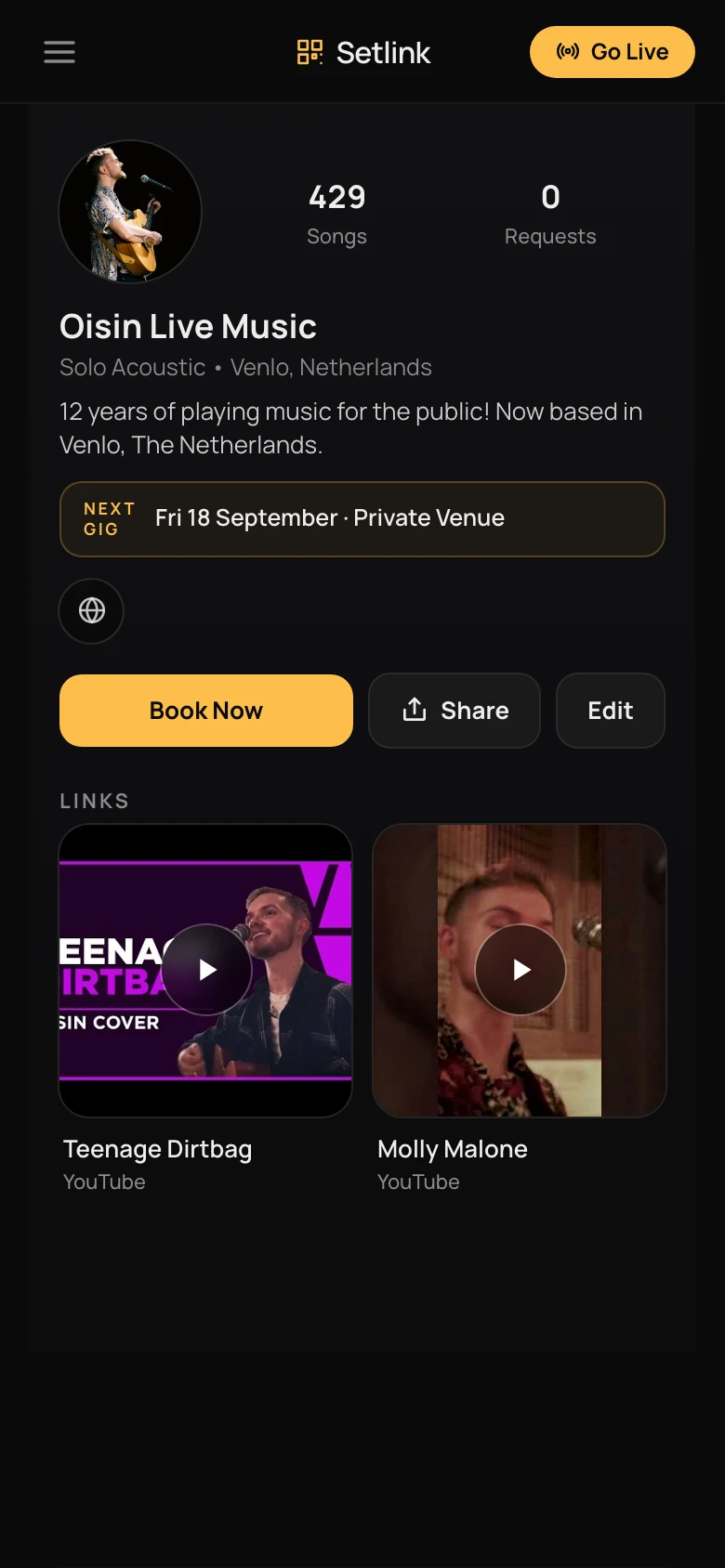
Artist profile
The other half of the platform — what the audience sees when they scan the code on the stand. Next gig, song count, links to reels, all on one card they can share.
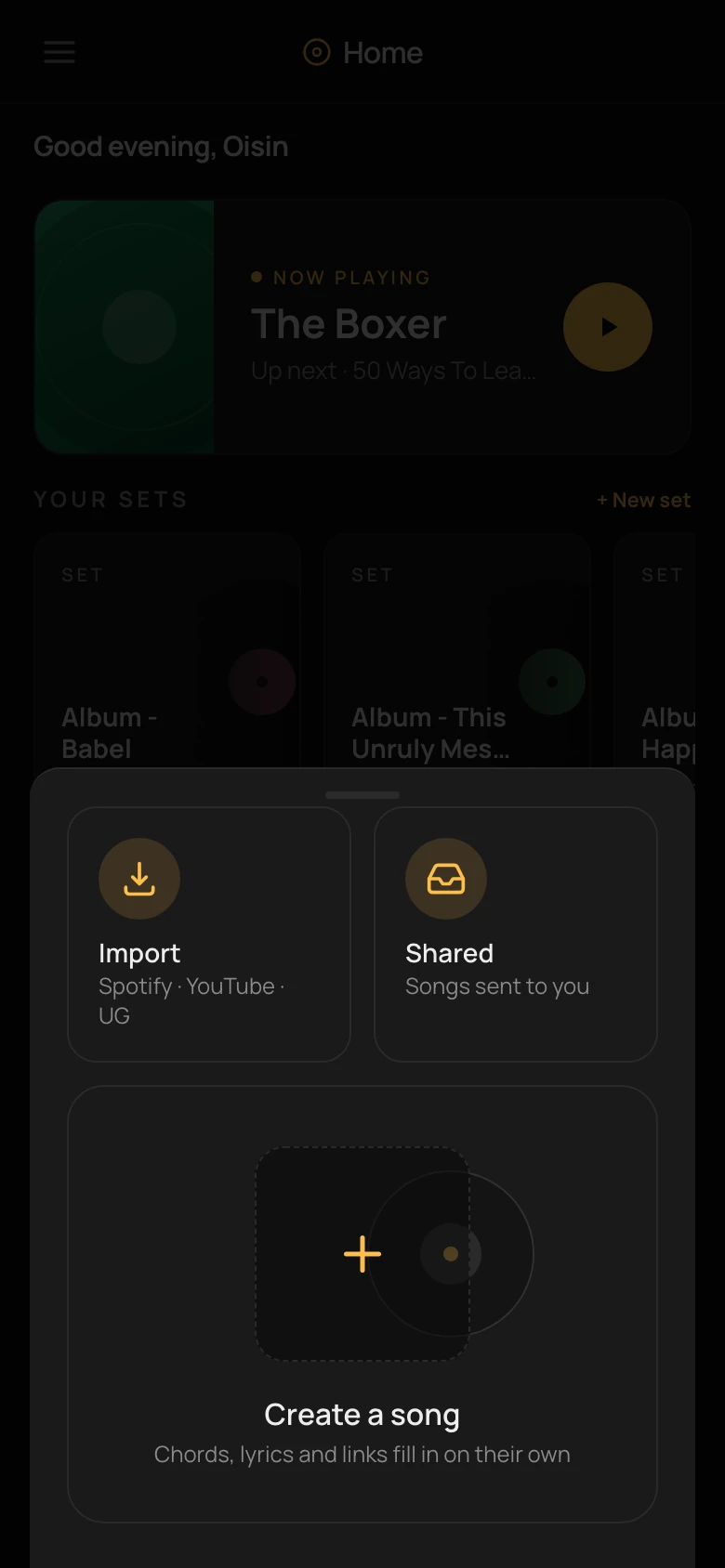
Add a song
The choose-a-door sheet. Import from a service, pick up a song someone shared, or create one from a blank card. Everything a musician adds to their library starts here.
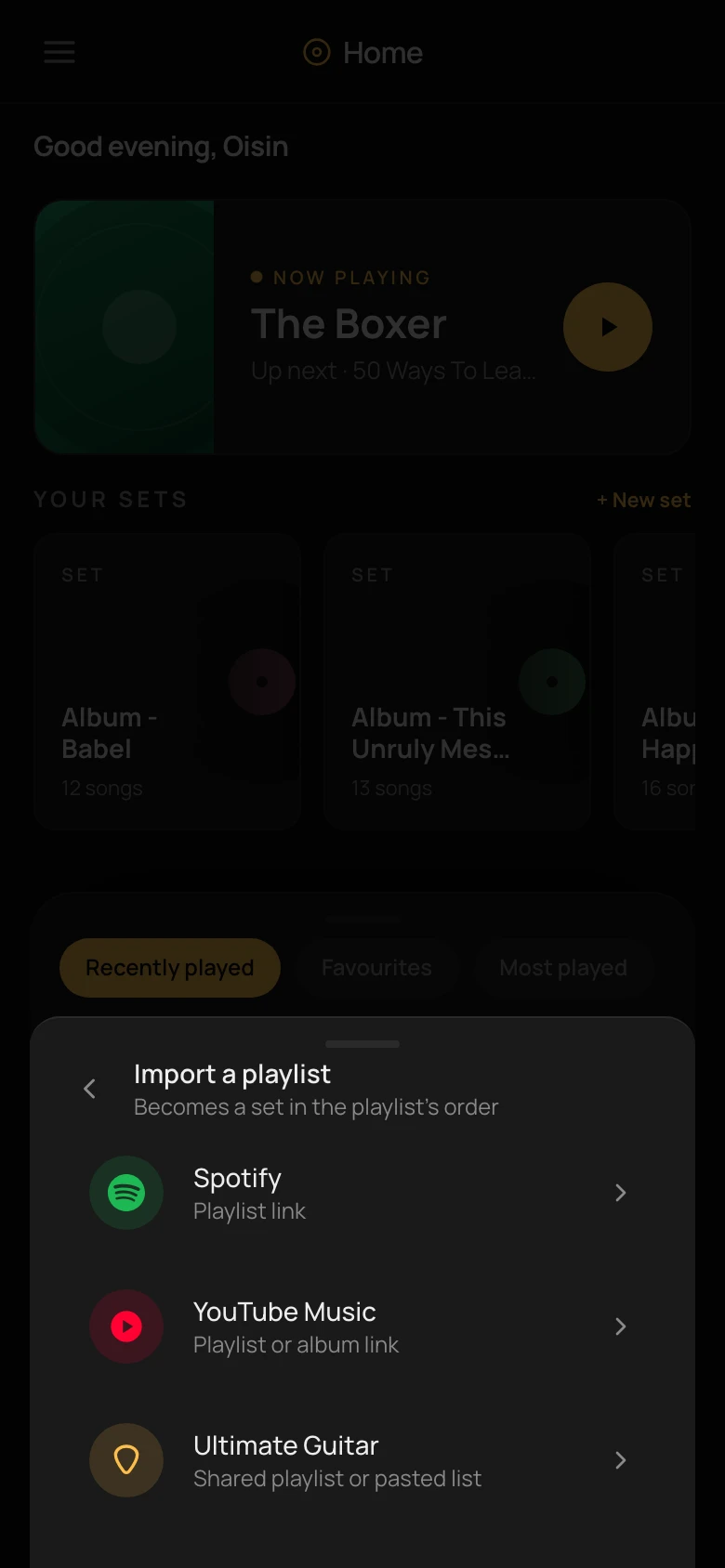
Import a playlist
Paste a Spotify or YouTube link and it lands as a set in the playlist's order. Paste an Ultimate Guitar chord sheet and the chords and lyrics fill themselves in — no re-typing what someone else already tabbed.
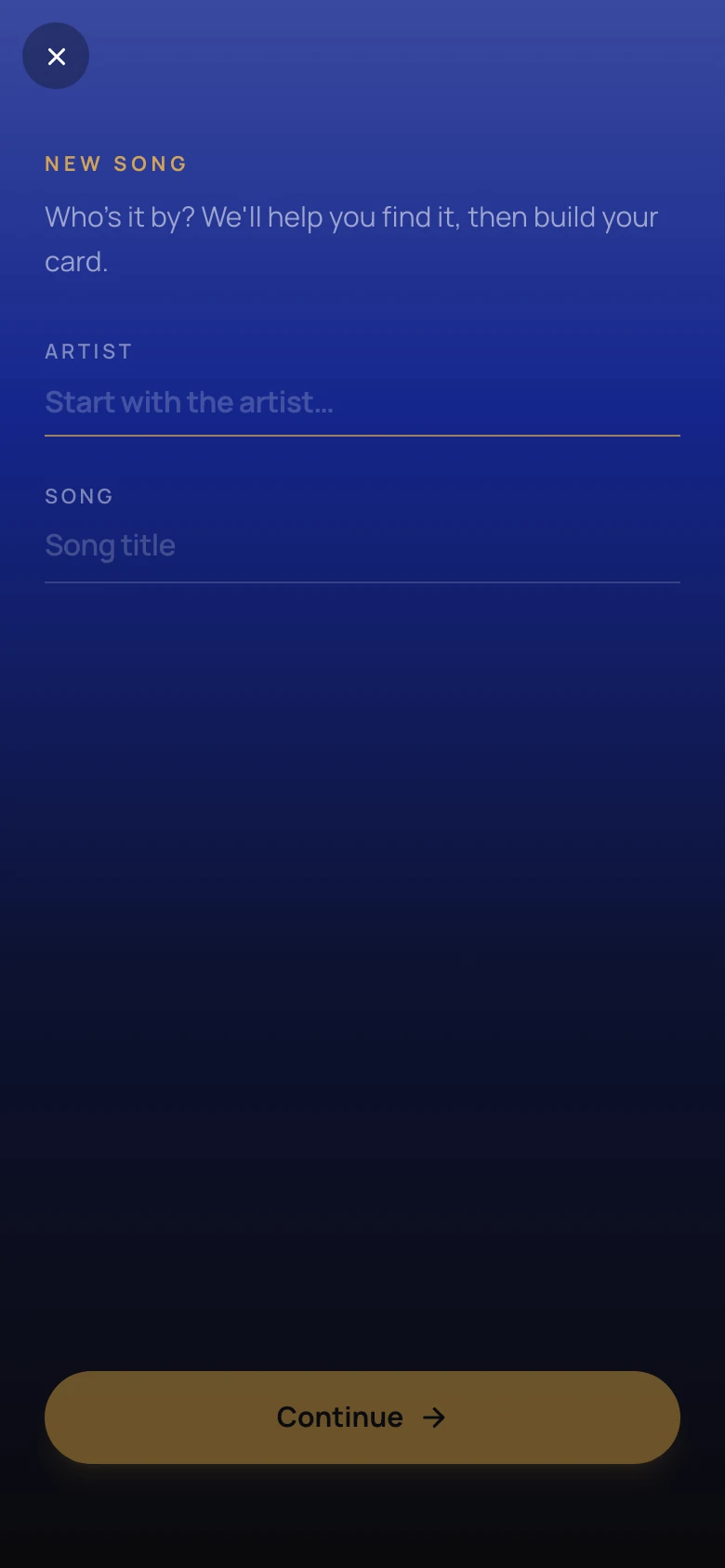
Create a song
For songs that aren't on any service. Enter artist and title, everything else — poster, chord chart, lyrics — is filled in by the backend so the musician can keep moving.
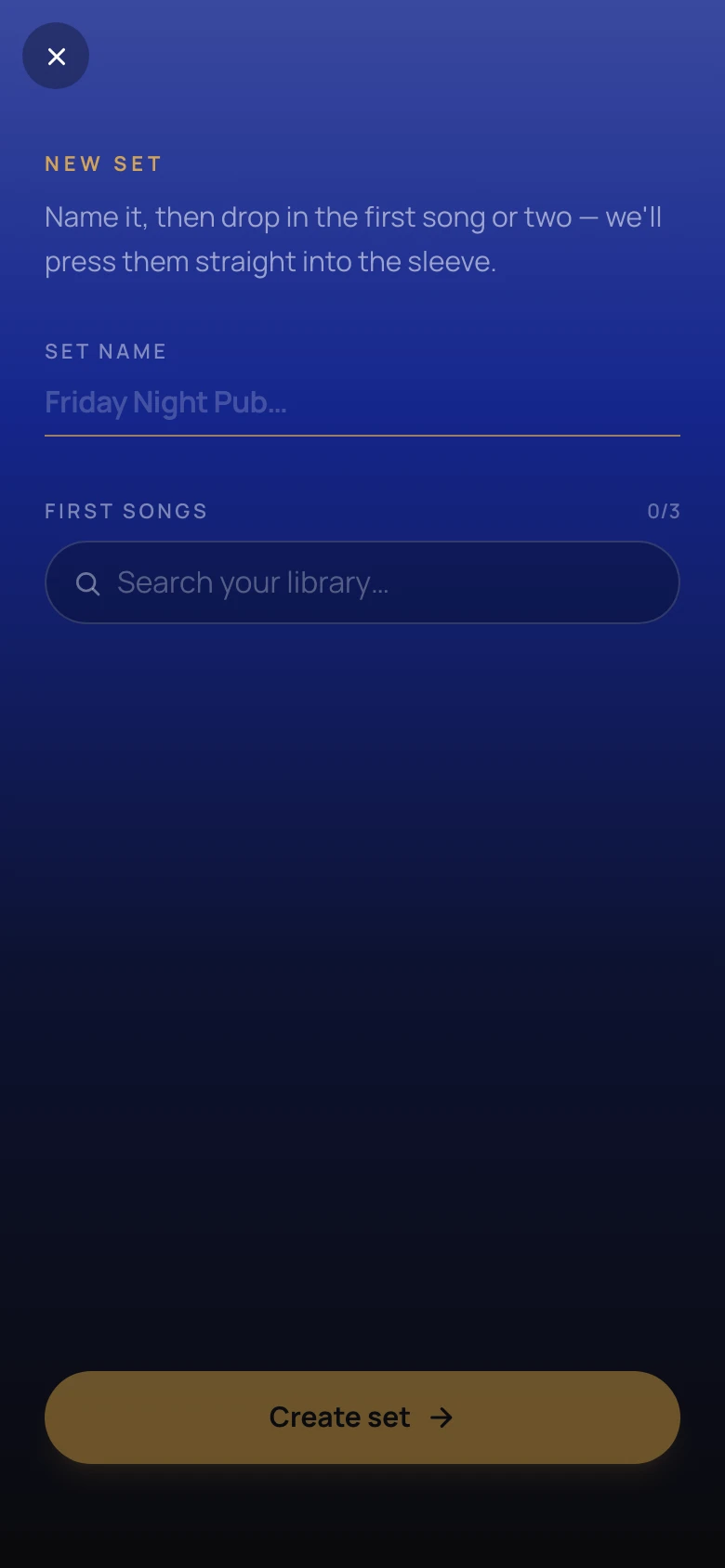
New set
The first-run flow. Name the set, drop the first song or two, and it's ready to press play. Cover art and mood colour are picked up from what's inside; nothing else needs deciding.
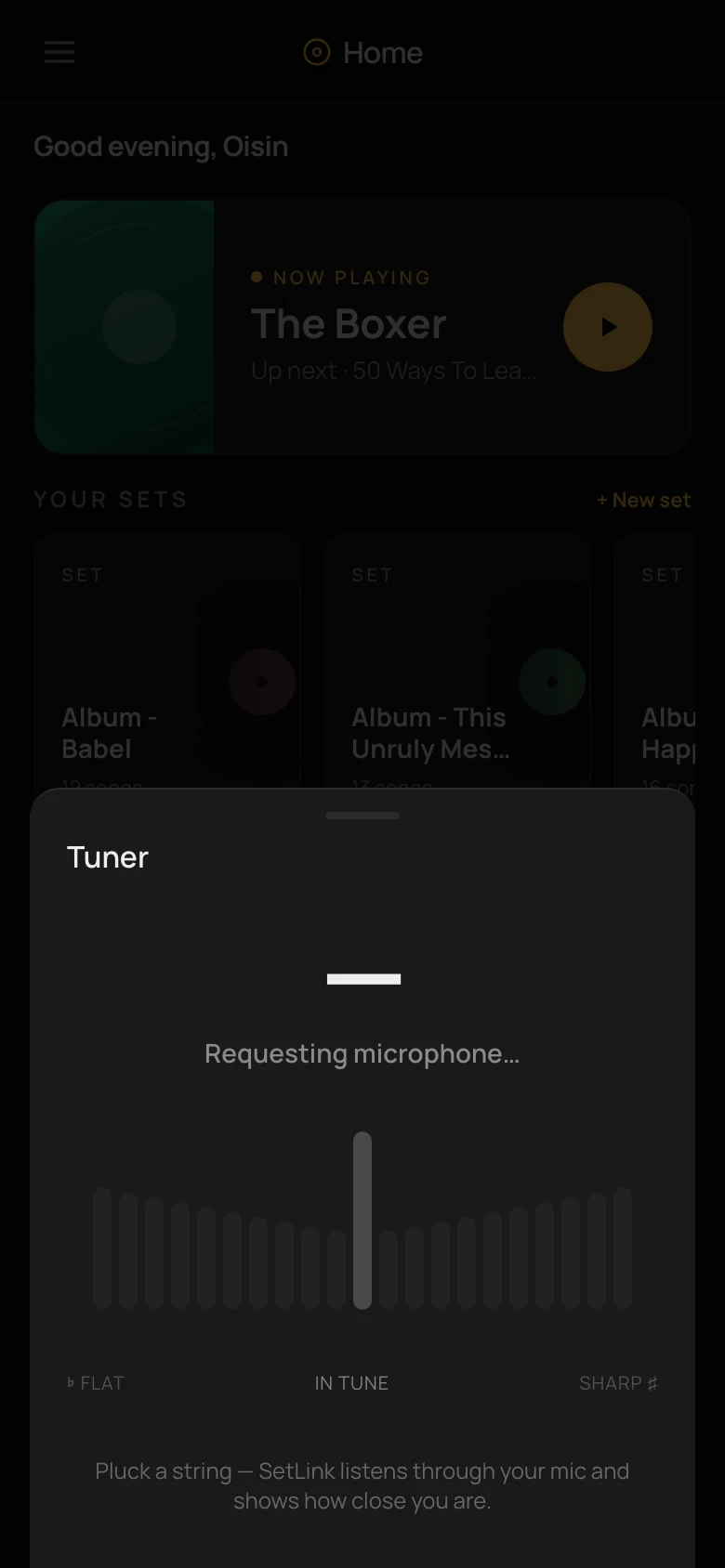
Tuner
A microphone tuner that lives one drawer-tap away, so the phone that already holds the set list can also tune the guitar without pulling out a second app between songs.